

Screw Air Compressor Does Not Stop Automatically at the Set Pressure: Causes and Inspection Methods
A screw air compressor that fails to stop automatically after reaching the set pressure requires inspection, particularly if the machine does not switch to Unload mode or fails to execute the Auto Stop cycle according to its configuration.
However, it is important to distinguish between two conditions: the compressor fails to switch to Unload and the compressor has already switched to Unload but does not stop automatically. These are different operating states and may result from entirely different causes.
If the compressor remains in the loaded state after reaching the set pressure, the system may consume unnecessary electricity and increase the machine's operating hours. If this condition is accompanied by high temperatures, control alarms, or other abnormal signs, the machine should be inspected before prolonged operation continues.
The following article helps operators identify the correct condition, determine the common groups of causes, and carry out inspections safely in accordance with the configuration of each compressor model.
1. Is It Dangerous When a Screw Air Compressor Reaches the Set Pressure but Does Not Stop Automatically?
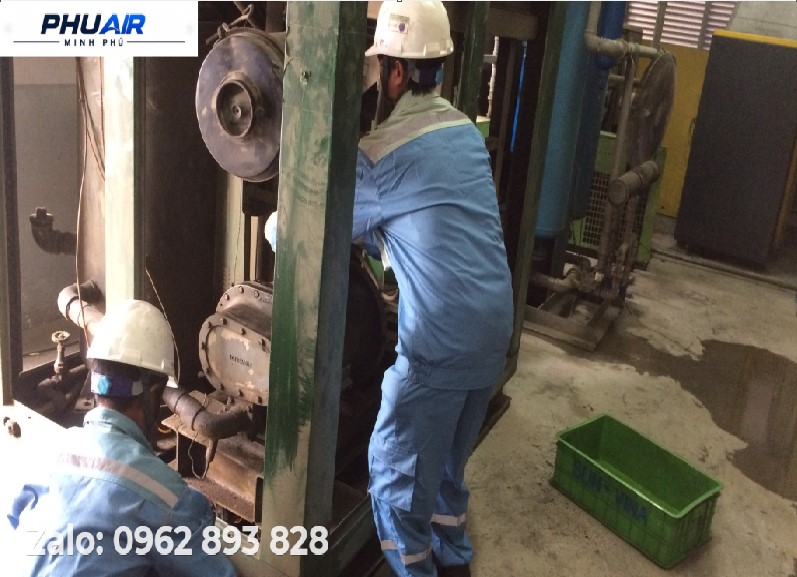
Not every case in which a compressor fails to stop automatically indicates a serious fault. The severity depends on whether the machine is in Load, Unload, or awaiting the Auto Stop cycle, as well as the control configuration of the specific model.
In many screw air compressor systems, when the pressure reaches the control setpoint, the controller commands the machine to switch from Load to Unload. After a configured period, the machine may continue running unloaded or stop the motor if the system has an Auto Stop function.
Therefore, if the compressor reaches the set pressure but continues running, first determine whether it is still compressing air in Load mode or has already switched to Unload but has not yet reached the Auto Stop point.
If the machine does not switch to Unload and continues producing compressed air after reaching the control setpoint, inspect the control system and valve mechanism. If the machine has already switched to Unload but the motor has not stopped, check the Auto Stop parameters and the model's control characteristics.
Prolonged operation outside the intended cycle may increase electricity consumption and affect system reliability. If abnormal temperatures, protective alarms, unusual noises, or other mechanical symptoms occur, stop the machine in accordance with safe operating procedures and arrange an inspection.
2. Signs That a Screw Air Compressor Is Not Switching to Unload or Auto Stop
One common sign is that system pressure has reached or exceeded the setpoint, but the control screen still displays Load. If this condition persists, the pressure signal and control system should be inspected.
Another situation occurs when the screen displays Unload but the motor continues running for an extended period. This does not necessarily indicate a fault, because some models are designed to remain unloaded for a specified period before Auto Stop.
If the pressure displayed on the controller appears inconsistent with the actual pressure monitored using the system's existing measuring equipment, consider possible pressure-sensor signal errors or issues with signal configuration.
The table below provides a diagnostic guide. Actual pressure values, Unload duration, and Auto Stop conditions must be verified against the specific model and the manufacturer's documentation.
Symptom | Areas to inspect | Possible explanation |
|---|---|---|
Pressure reaches the setpoint, but the compressor remains in Load | Pressure sensor, controller, intake valve | Incorrect pressure signal or an Unload mechanism that is not operating correctly |
The screen displays Unload, but the compressor continues running | Auto Stop parameters | The timer or control mode may be configured this way |
Displayed pressure differs from the reading on the system's measuring equipment | Pressure sensor and signal | Possible sensor, wiring, or scaling issue |
The compressor switches to Unload but does not stop as expected | Auto Stop and controller | The configuration and conditions permitting shutdown need to be checked |
Pressure continues rising despite an Unload command | Intake valve and control circuit | The valve mechanism may not have closed, or the control signal may not be acting correctly |
3. Four Main Causes of a Screw Air Compressor Failing to Stop Automatically at the Set Pressure
3.1. Pressure Sensor or Pressure Signal Problems
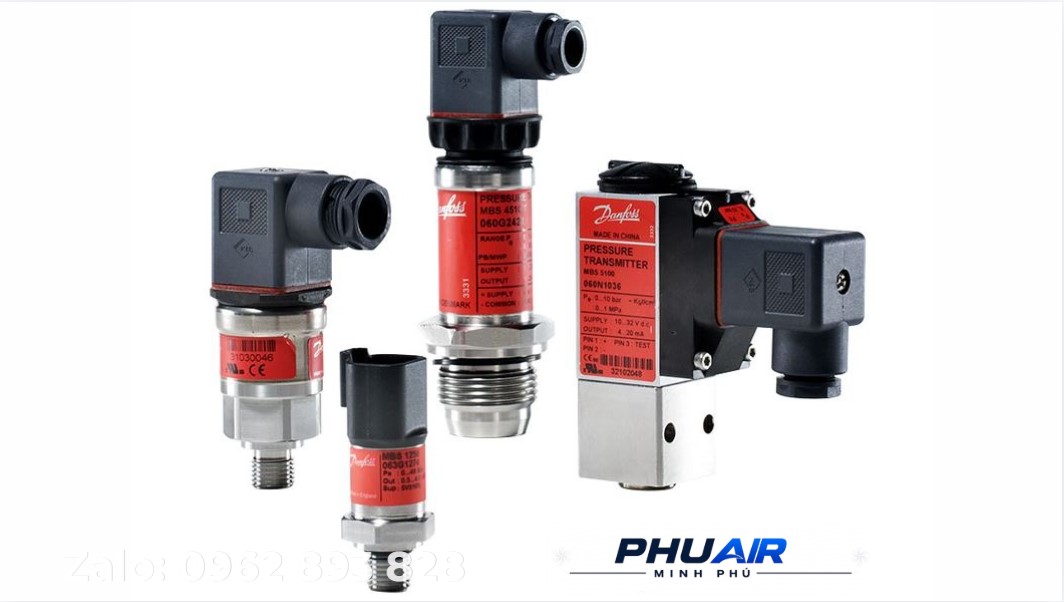
The pressure sensor provides pressure information to the controller. Depending on the design, the signal may use a 4–20 mA, 0–10 V format or another signal transmission method.
If the sensor is inaccurate, faulty, or transmitting an incorrect signal to the controller, the controller may interpret the pressure differently from the actual system condition.
For example, the actual system pressure may have reached the setpoint, while the signal sent to the controller indicates a significantly lower pressure. In this case, the controller may not issue the expected command to change the operating state.
However, a discrepancy between two displayed pressure values alone is not sufficient to conclude that the sensor has failed. A technician must inspect the sensor, signal wiring, power supply, scaling, and controller configuration in accordance with the electrical diagram and technical documentation for the specific model.
3.2. Intake Valve or Intake Valve Control Mechanism Malfunction
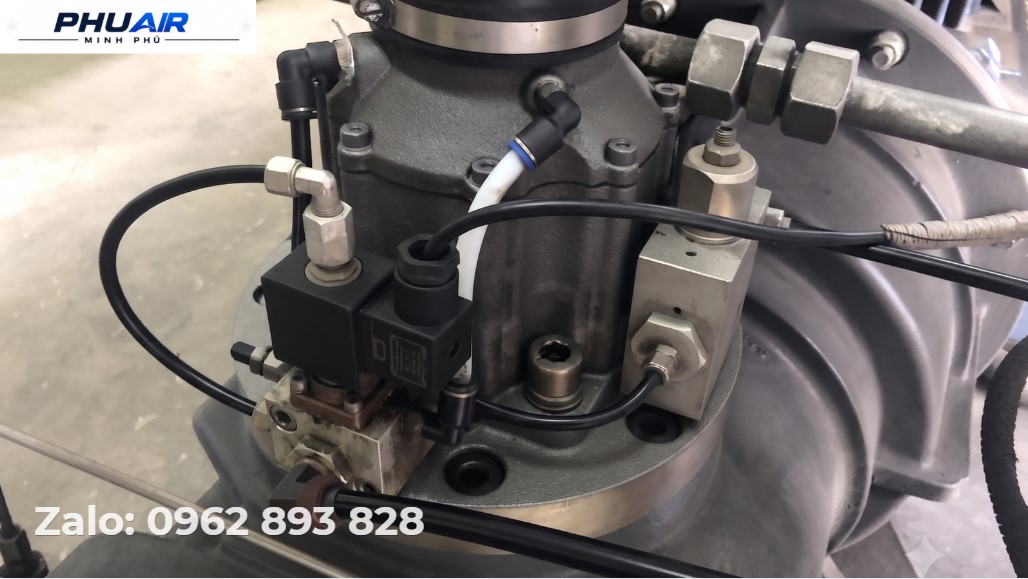
The Intake Valve controls the amount of air entering the airend according to the compressor's operating state.
When the machine needs to switch to Unload, the control mechanism must actuate the intake valve to change its state as designed. If the valve is stuck, the actuator does not operate correctly, or the control air line has a problem, the compressor may fail to perform the Unload cycle correctly.
Possible causes include dirt or deposits, degraded oil, damaged sealing components, or a stuck mechanical mechanism. However, intake valve construction and control methods vary between models, so inspection must be carried out in accordance with the machine's technical documentation.
Do not assume that every intake valve malfunction is caused by Varnish or a specific damaged component.
3.3. Solenoid Valve and Control Air Line Failures
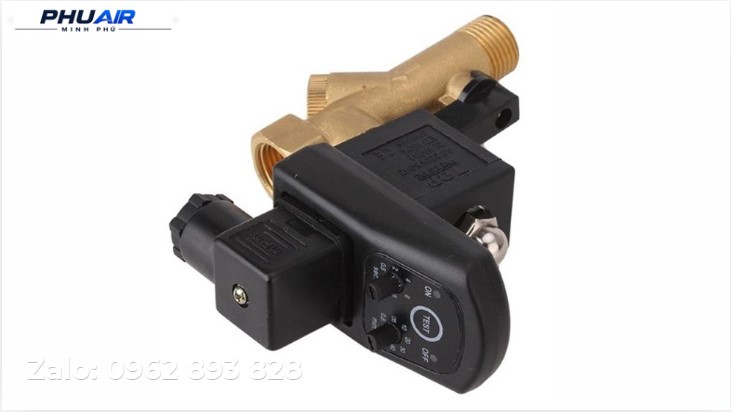
The Solenoid Valve may form part of the intake valve control circuit or the Unload mechanism, depending on the machine's configuration.
If the solenoid coil, wiring, connectors, valve stem, or control air line has a problem, the control signal may not be transmitted to the actuator as designed.
Inspection must be carried out in accordance with the control diagram for the specific model. Operators can record the Load/Unload status on the HMI and any related alarms. Electrical measurements, coil testing, and valve removal should be performed by qualified personnel after energy isolation in accordance with the applicable safety procedures.
3.4. Inappropriate Control Parameters or Operating Mode
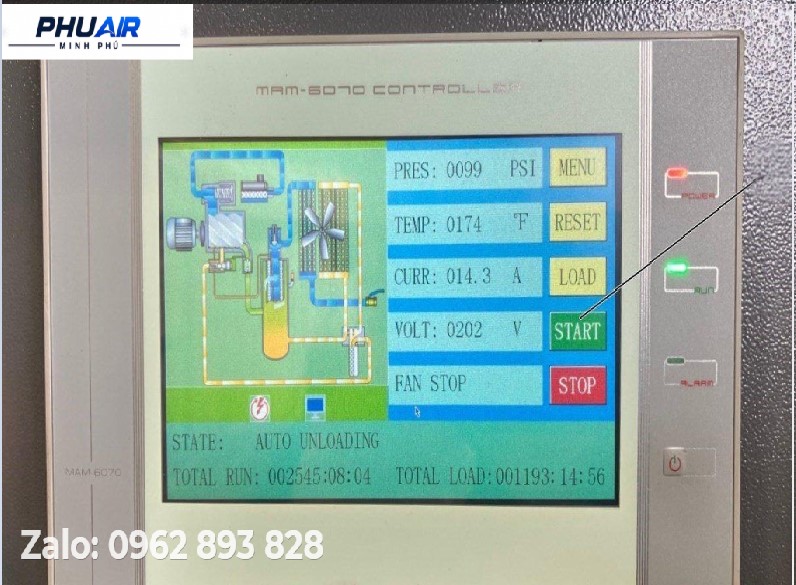
Not every compressor is configured to stop the motor immediately after reaching the set pressure.
Some systems use a Load → Unload → Auto Stop cycle, while other configurations may continue running unloaded for a period of time or use a different control mode.
Therefore, if the compressor has switched to Unload but has not stopped, check the Auto Stop parameters, Unload Timer, and control mode in accordance with the manufacturer's documentation.
If the compressor does not switch to Unload even though the pressure has reached the setpoint, check the pressure settings, sensor signals, and control mechanism before changing any parameters.
Do not assign a fixed time value to every compressor. Parameters such as Cut-out, Cut-in, and Auto Stop must be appropriate for the design limits, controller configuration, and load characteristics of each system.
4. Inspection Procedure for a Screw Air Compressor That Does Not Stop Automatically
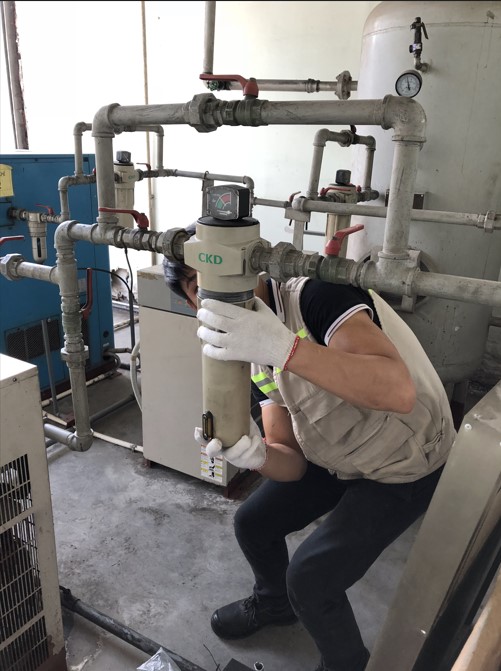
Step 1: Determine Whether the Compressor Is in Load or Unload Mode
This is the most important step.
Observe the status on the HMI or controller when the pressure reaches the setpoint. Determine whether the machine remains in Load mode or has switched to Unload mode.
If the machine remains in Load mode, the inspection should focus on the pressure signal and the Unload control circuit.
If the machine has switched to Unload but the motor has not stopped, check the Auto Stop cycle and the control conditions specified for that model.
Step 2: Compare the Displayed Pressure
Check the pressure displayed on the controller and compare it with the reading from an existing pressure gauge in the system, if one is installed.
Do not remove components or install an additional gauge on the pressurized line without the necessary expertise and compliance with the correct safety procedures.
If the pressure reading appears abnormal, a technician should inspect the Pressure Sensor, signal wiring, power supply, and scaling configuration in accordance with the manufacturer's documentation.
Step 3: Inspect the Unload Circuit and Control Valve
If the controller has issued an Unload command but the machine does not transition to the correct state, inspect the intake valve control circuit, Solenoid Valve, and control air lines, if these components are used in the machine's configuration.
This is a technical inspection. Operators should not dismantle the Solenoid Valve or intake valve, or perform electrical measurements on the equipment, unless they have received the appropriate training.
The technician must carry out the inspection after isolating energy sources, preventing unintended startup, and safely releasing residual pressure in accordance with the manufacturer's procedures.
Step 4: Check the Auto Stop Parameters
If the machine has switched to Unload but does not stop, check the control mode and Auto Stop parameters for the specific model.
Do not arbitrarily change Cut-out, Cut-in, or Unload Timer settings simply to make the machine stop sooner. Parameter changes must be based on the technical documentation, system requirements, and settings permitted by the manufacturer.
If the parameters are correct but the machine still does not follow the designed cycle, further inspection of the controller, input signals, and control outputs may be necessary.
5. Distinguishing a Machine Fault from Actual Air Demand
Not every case of prolonged compressor operation is caused by a control fault.
If the plant is consuming a large volume of compressed air, the compressor may need to remain in Load mode for an extended period because system pressure has not yet reached the control setpoint.
Conversely, if air demand is low but the machine frequently remains in Load mode after the pressure has reached the setpoint, the control system and Unload mechanism should be inspected.
Air leaks in the piping, drain valves, air-consuming equipment, or changes in production demand can also cause the compressor to operate for longer periods.
Therefore, before concluding that the compressor has a "failure to stop automatically," observe pressure, Load/Unload status, operating time, and the system's actual air demand together.
6. Parameters to Check Before Changing Settings
Parameters such as Cut-out Pressure, Cut-in Pressure, Unload Timer, and Auto Stop Timer should not be assigned a universal value for every compressor.
The appropriate settings depend on the model, power rating, controller configuration, designed pressure range, and the system's compressed-air consumption characteristics.
For example, a compressor with a rated pressure of 8 bar does not necessarily mean that every 8-bar compressor must have the same Cut-out setting or use the same Auto Stop time.
Before making adjustments, the technician should consult the manual and verify the settings approved by the manufacturer.
7. Preventing Automatic Shutdown Problems in Screw Air Compressors
Regular maintenance helps reduce the risk of problems involving control valves, sensors, and control air systems. However, maintenance intervals must follow the manufacturer's recommendations and reflect actual operating conditions.
Compressor oil must be of the correct type and replaced according to the manufacturer's requirements. Using unsuitable oil or allowing the oil to deteriorate may affect the reliability of machine components.
Consumables such as air filters, oil filters, and oil separators should also be inspected, cleaned, or replaced according to the maintenance schedule for the specific model. A fixed operating-hour interval should not be applied to every compressor.
Safety valves and pressure-protection devices must be inspected in accordance with applicable regulations and the manufacturer's instructions. These devices provide an important layer of protection for the pressurized system, but they cannot replace repairs to the underlying cause of incorrect control-system operation.
8. When Should You Stop the Machine and Call a Technician?
If the machine has simply switched to Unload but has not yet reached the Auto Stop point specified by its configuration, this does not necessarily indicate a fault.
However, if the machine remains in Load mode after reaching the set pressure, system pressure continues to rise abnormally, or alarms related to temperature, the motor, pressure, or control appear, prioritize inspection before allowing prolonged operation to continue.
In particular, do not repeatedly reset alarms or protective devices to return the machine to service before the cause has been identified.
Tasks involving electrical measurements, control-signal inspection, valve removal, or intervention in the pressure circuit must be performed by qualified personnel in accordance with the machine's safety procedures.
FAQ: Screw Air Compressor Does Not Stop Automatically at the Set Pressure
Does a compressor that continues running after reaching the set pressure mean it is faulty?
Not necessarily. Determine whether the machine is in Load or Unload mode. If it has already switched to Unload but continues running, this may be part of the control cycle before Auto Stop.
Is it a fault if the compressor displays Unload but does not stop automatically?
Not necessarily. Some machines are configured to run unloaded for a period before stopping the motor. Check the Auto Stop parameters and control mode for the specific model.
What causes a compressor not to switch to Unload when the set pressure is reached?
Possible causes include the pressure signal, controller, intake valve, Solenoid Valve, or control air lines, depending on the machine's configuration. Determine the actual operating state before concluding which component has failed.
Should the Auto Stop time be reduced to 3–5 minutes to make the compressor stop sooner?
Do not apply a fixed value to every compressor. The Auto Stop time must be configured according to the manufacturer's recommendations and the system's load characteristics.
Should the compressor stop automatically as soon as it reaches 8 bar?
No. The pressure setpoint and Auto Stop conditions depend on the configuration of each system. The machine may switch to Unload first and then stop, or continue running unloaded, depending on its design.
Should I remove the intake valve myself for inspection?
No, not unless you have the necessary expertise. The intake valve and its control circuit may involve residual compressed air and mechanical components. Inspection and removal must be carried out after energy isolation and the safe release of residual pressure in accordance with the applicable safety procedures.
Conclusion
A screw air compressor that does not stop automatically after reaching the set pressure does not necessarily have a serious fault. However, it is essential to determine whether the machine fails to switch to Unload or has already switched to Unload but has not yet reached Auto Stop.
If the machine remains in Load mode after reaching the setpoint, inspect the pressure signal, controller, intake valve, Solenoid Valve, and control air circuit according to the machine's configuration. If the machine has already switched to Unload but does not stop, check the control mode and Auto Stop parameters rather than automatically concluding that the intake valve or sensor has failed.
Most importantly, do not arbitrarily change Cut-out, Cut-in, or Auto Stop settings based on a universal value. All settings must be checked against the model, controller, and manufacturer's instructions.
If your compressor is at the set pressure but remains in Load mode, fails to switch to Unload, or has switched to Unload but does not stop automatically, PhuAir can assist with an assessment based on the actual operating condition. When contacting the technical team, provide the model, Serial Number, compressor power rating, set pressure, actual pressure, Load/Unload status, HMI alarm code, and photos or videos of the issue so the technicians have sufficient information to assess the situation before recommending a solution.