

Piston Air Compressor Will Not Run: Causes & Inspection Methods
A piston air compressor that will not run or start is a fault that can occur in both mini piston compressors (single-phase motors) and industrial piston compressors (three-phase motors). In addition to electrical causes common to all types of air compressors (such as power loss, circuit breaker trips, and phase loss), piston compressors have their own specific characteristics: the capacitor configuration on single-phase motors and the pressure switch system integrated with an unloading valve - a component that helps reduce pressure on the airend before each startup.
If you are looking for an overview of all causes that can prevent an air compressor from running in general, you can also refer to the article [Air Compressor Will Not Run: Causes and Inspection Methods]. The following article focuses on an in-depth analysis of the specific causes and safe inspection procedures for piston air compressors.
Quick Answer
A piston air compressor that fails to start is commonly caused by the following main groups of issues:
- Power supply issues: Power loss, CB/circuit breaker trip, phase loss (for three-phase machines), or capacitor failure (for single-phase machines).
- Pressure switch and unloading valve issues: If the unloading mechanism does not operate correctly, residual pressure may remain in the airend or discharge piping, causing the motor to start under load.
- Airend mechanical issues: The cylinder is seized due to rust, the connecting rod bearing or crankshaft is worn, or the drive belt is loose or broken.
- Overload protection issues: The thermal relay or circuit breaker trips due to increased current during startup.
Before performing an in-depth inspection, the technician must completely disconnect the power supply and release all residual pressure from the system in accordance with safety requirements.
Quick Diagnostic Summary Table
Symptoms | Suspected Technical Component | Initial Inspection & Troubleshooting |
|---|---|---|
The motor hums but cannot rotate, produces a light buzzing sound, and then stops (commonly on single-phase machines). | Capacitor is swollen, exploded, or has reduced capacitance. | Disconnect the power supply and inspect the capacitor condition; capacitance measurements must be performed safely by qualified personnel. |
The machine trips the CB or thermal relay immediately after Start is pressed. | Pressure switch/unloading valve is stuck, causing the motor to start under load. | Check whether the unloading valve on the pressure switch releases air when the machine stops; clean or replace it if necessary. |
The motor attempts to rotate but struggles, produces a mechanical grinding sound, and fails to reach speed. | Piston is seized in the cylinder or the connecting rod bearing/crankshaft is worn or seized. | Check whether the drive mechanism can rotate according to the applicable safe technical procedure. |
The machine has power and the indicator lights are normal, but pressing Start produces no response. | Phase loss (three-phase machine) or pressure switch has not closed the circuit. | Measure the three-phase voltage; check the receiver pressure and pressure switch setpoint. |
The drive belt slips; the motor rotates but the airend does not rotate accordingly. | V-belt is excessively loose or broken. | Check belt tension and replace the belt if it has hardened or developed cracks. |
Causes That Can Prevent a Piston Air Compressor from Running
Group 1: Power Supply Issues
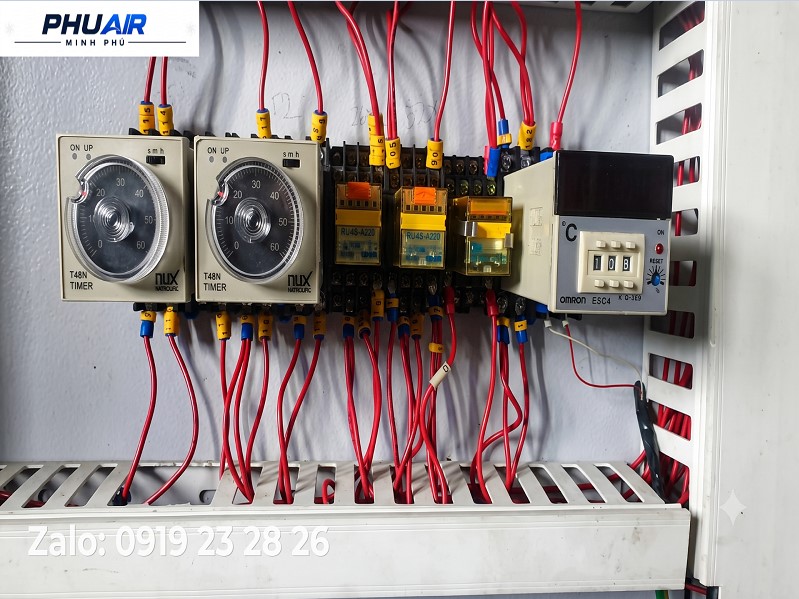
Complete power loss: Check the CB/circuit breaker, fuses, main power supply, wiring, and connections.
Phase loss (for industrial three-phase piston compressors): Loss of one phase may prevent the motor from generating sufficient starting torque or cause the protection device to trip immediately.
Capacitor failure (for some single-phase motors): Some single-phase motors use a starting capacitor or dedicated capacitor to generate starting torque; the capacitor type and specifications depend on the motor design. When the capacitor's capacitance decreases due to service life, temperature, or environmental conditions, the motor may only produce a light humming sound and then stop without rotating. Note: Most industrial screw air compressors use three-phase motors, so this type of fault does not generally occur.
Group 2: Pressure Switch and Unloading Valve Issues (Specific to Piston Compressors)
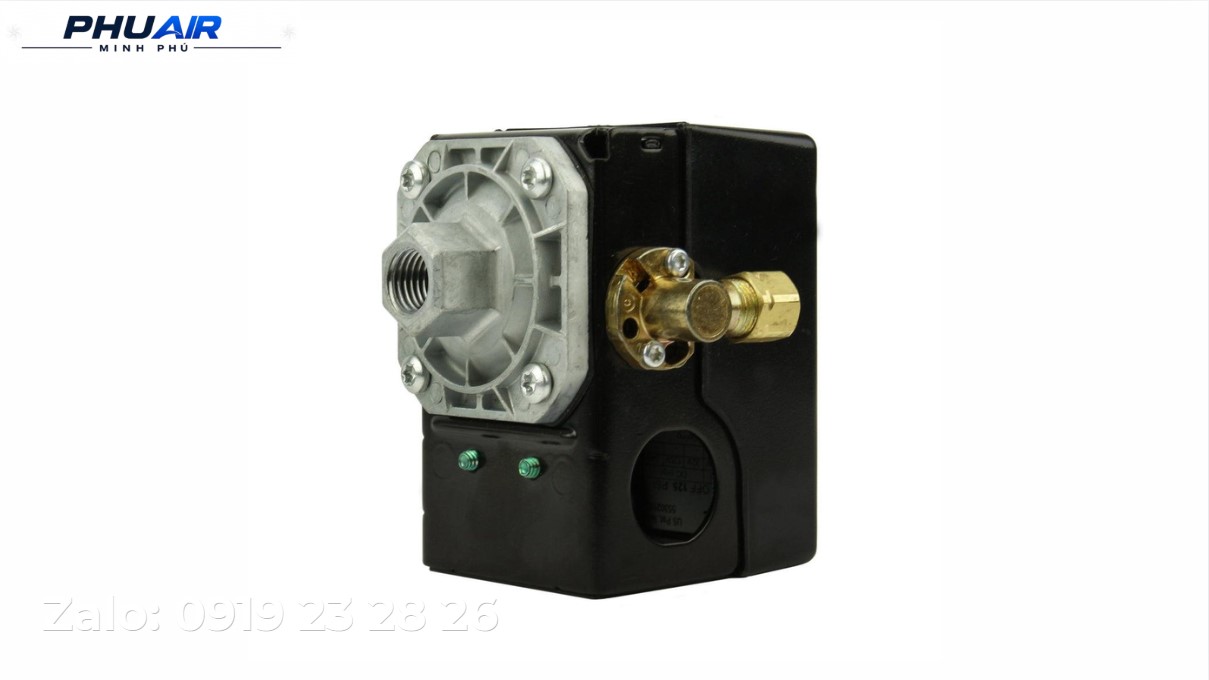
Many piston compressors use a pressure switch combined with an unloading valve to reduce the load on the airend before the next startup. When the machine stops, this valve is responsible for releasing residual pressure from the airend and manifold. If the unloading valve becomes clogged or stuck, or if the pressure switch fails, residual pressure may remain in the airend or discharge piping, causing the motor to start under load. This increases the starting current and may cause the protection device to trip.
Group 3: Piston Airend Mechanical Issues
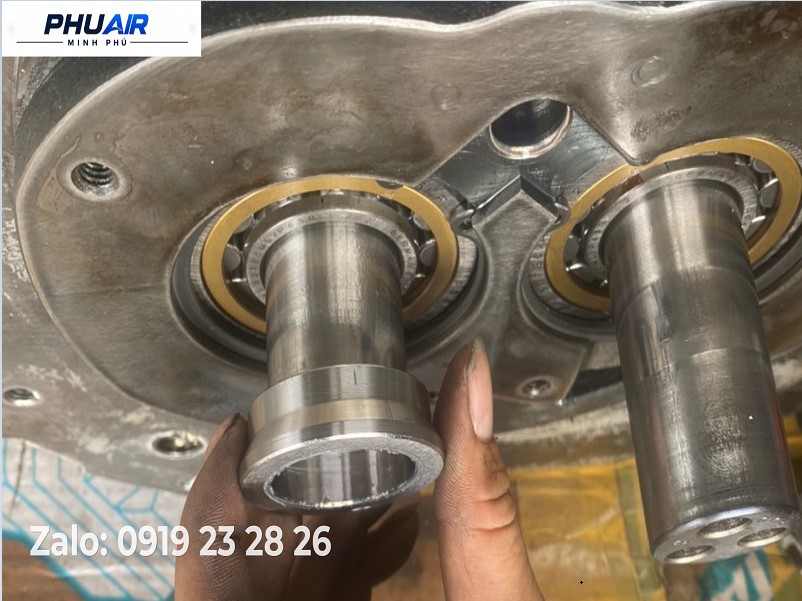
Piston air compressor cylinder seized due to rust: When the machine is left unused for an extended period in a humid environment, condensed moisture may cause light rust to form on the cylinder wall or piston rings, causing the piston to seize.
Worn or seized connecting rod bearing or crankshaft: Insufficient lubrication or degraded oil can cause uneven wear of the connecting rod bearing, resulting in mechanical seizure.
Loose or broken drive belt: An excessively loose belt will slip and fail to transmit power, preventing the airend from operating.
Group 4: Overload Protection Issues
The thermal relay or CB may trip when the motor shows signs of overcurrent. Do not simply reset the protection device and repeatedly restart the machine before identifying the root cause, as this may cause the motor windings to burn out.
Safe On-Site Inspection Procedure (SOP)
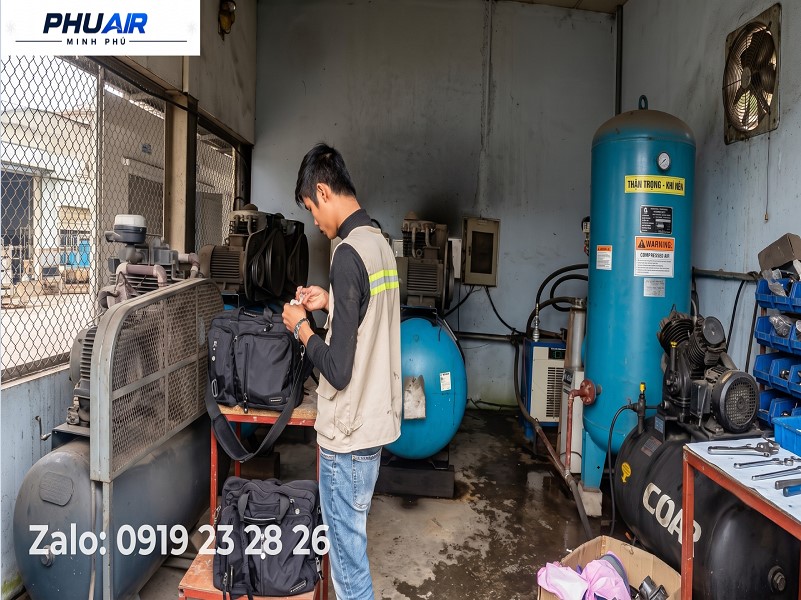
Step 1 - Disconnect Power and Release Pressure Safely: Completely disconnect the power supply to the machine and apply lockout/tagout (LOTO). Open the drain valve to bring the system pressure down to a safe level according to the applicable instructions before performing any work.
Step 2 - Check the Incoming Power Supply: For three-phase machines: measure the three-phase voltage and confirm that there is no phase loss. For single-phase machines: check the power outlet, power cable, CB/circuit breaker, and fuse.
Step 3 - Check the Capacitor (Only for Machines Using Single-Phase Motors): The capacitor must be inspected only after isolating the power supply and safely handling any residual electrical charge according to the manufacturer's instructions. If you do not have electrical expertise, do not remove or measure the capacitor yourself.
Step 4 - Check the Pressure Switch and Unloading Valve: Observe whether the unloading valve on the pressure switch releases residual pressure from the airend when the machine stops, ensuring that the machine does not start under load.
Step 5 - Check the Airend Mechanical System: After completely isolating the power supply, releasing pressure, and confirming that the machine is in a safe condition, a qualified technician may check the ability of the drive system to rotate according to the manufacturer's instructions.
Step 6 - Reset and Test Run: After the cause has been resolved, restore power, press Start, and monitor the starting current along with the gradual increase in pressure.
Common Mistakes to Avoid When Handling a Piston Air Compressor That Will Not Run
Rushing to replace the motor without checking the capacitor or pressure switch: In many cases, a piston compressor that will not run is incorrectly diagnosed as a motor failure, while the actual cause is the capacitor or unloading valve.
Repeatedly attempting to restart the machine after the CB/thermal relay has tripped: This increases the risk of burning out the motor windings.
Ignoring residual pressure inspection: Pressure trapped in the airend is a common cause of startup overload if the unloading valve is not operating correctly.
Frequently Asked Questions About a Piston Air Compressor That Will Not Run
Why does a mini piston air compressor fail to run after being unused for a long period?
The capacitor may have degraded over time due to service life, temperature, or environmental conditions, or the piston may have seized in the cylinder due to rust. These factors should be checked before suspecting a motor failure.
Why does a piston air compressor run for a few seconds and then stop automatically?
This may be a sign of startup overload caused by an unloading mechanism that is not operating correctly, causing the motor to bear residual pressure from the previous shutdown and triggering the thermal relay protection.
What is the difference between a piston air compressor that will not run and a screw air compressor that fails to start?
Most electrical causes (power loss, CB, phase loss, thermal relay) are common to both types. The main difference lies in the unloading mechanism: piston compressors typically use a mechanical pressure switch integrated with an unloading valve, while industrial screw compressors use a solenoid valve and central controller. Mini piston compressors also have the additional characteristic of using a capacitor with single-phase motors. You can also refer to the article [Air Compressor Fails to Start: 10 Common Causes] for details on screw air compressors.
On-Site Piston Air Compressor Repair Services
If the maintenance team has completed the basic inspection steps but still cannot identify the cause, contact PhuAir for specialized support.
👉 Take photos of the machine nameplate and the capacitor (if applicable), describe the symptoms, and send the information via Zalo to PhuAir. Our technical team will help narrow down the possible causes and advise on the most appropriate solution for your equipment.