

Screw Air Compressor Failing to Draw in Air: What Are the Causes?
Reviewed by the PhuAir Technical Department – Updated: October 9, 2026
Quick Answer: When a screw air compressor fails to draw in air (pressure rises slowly or fails to build), it is not possible to immediately conclude that the intake valve or air filter is faulty. First, determine whether the compressor is genuinely failing to draw in air or is operating in the unloaded (UNLOAD) state in accordance with its control logic. Then inspect the following components and systems in sequence: the air intake path → intake valve → load control solenoid valve system → pressure sensor/signals. The specific specifications and construction must be verified against the documentation for each machine model.
Observed Symptom | Data to Verify | Next Step |
|---|---|---|
The compressor runs, but pressure rises very slowly or remains low. | Current pressure, pressure setpoint, LOAD/UNLOAD status | Determine whether the compressor is in LOAD or UNLOAD mode. |
The compressor runs, but output airflow is low. | Actual airflow (if measurable), air demand | Check system demand and air supply capacity. |
The compressor is in LOAD mode, but pressure does not build as usual. | Intake valve status, control signals | Inspect the air intake path and intake valve. |
The compressor meets the conditions for building pressure but does not switch operating states. | Pressure sensor, control signals, solenoid | Inspect the control sequence. |
An alarm or fault code is displayed. | Fault code, maintenance history | Contact a technician and provide the relevant data. |
Key point: “Unable to draw in air” describes a symptom; it does not establish the cause. The machine's operating state must be identified and actual data collected before any components are removed or replaced.
1. Why Should You Avoid Immediately Concluding the Cause?
The same symptom—“the compressor runs but fails to build pressure”—may have completely different causes depending on the machine series, power rating, and actual operating conditions. Therefore, the technical inspection process must follow this principle: do not speculate about the cause without actual data. Any aspect that lacks sufficient evidence must be verified against the machine model or by the responsible technician, rather than assumed to apply to every machine.
2. Seven Groups of Potential Causes to Check
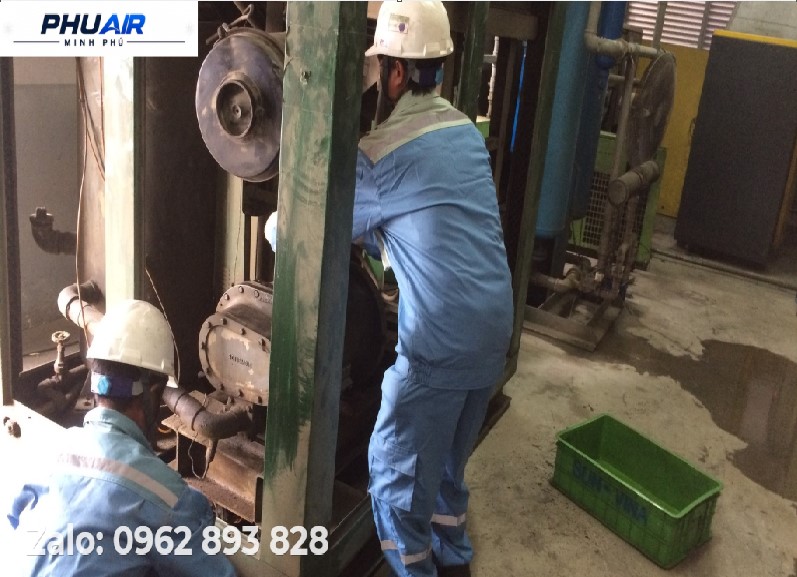
Cause 1: The Compressor Is in UNLOAD Mode and Is Not Drawing in Air as It Does in LOAD Mode
This is the first condition to check. In screw air compressors with load control, the LOAD/UNLOAD status is directly related to whether the machine is drawing in and compressing air. If an operator observes that “the machine is still running but is not drawing in air,” they should not immediately conclude that the intake valve is faulty.
Verify the following: whether the compressor is in LOAD or UNLOAD mode, the actual pressure and pressure setpoint, whether the machine is receiving a command to switch to the loaded state, and whether the issue occurs continuously or only for a certain period. If the compressor is in UNLOAD mode in accordance with the control logic of the specific model, this may not be a fault.
Cause 2: The Air Intake Path Is Restricted
If the compressor genuinely needs to enter LOAD mode but the incoming airflow is restricted, inspect the intake air filter, air supply path, intake ducting, and any locations that may obstruct airflow. An air filter clogged due to a lack of cleaning or replacement over time is a common cause of restricted fresh air entering the Airend. However, do not conclude that the filter is the cause based on its external appearance alone. Cross-check the operating data, pressure, and LOAD/UNLOAD status.
Cause 3: The Intake Valve Is Not Operating Correctly
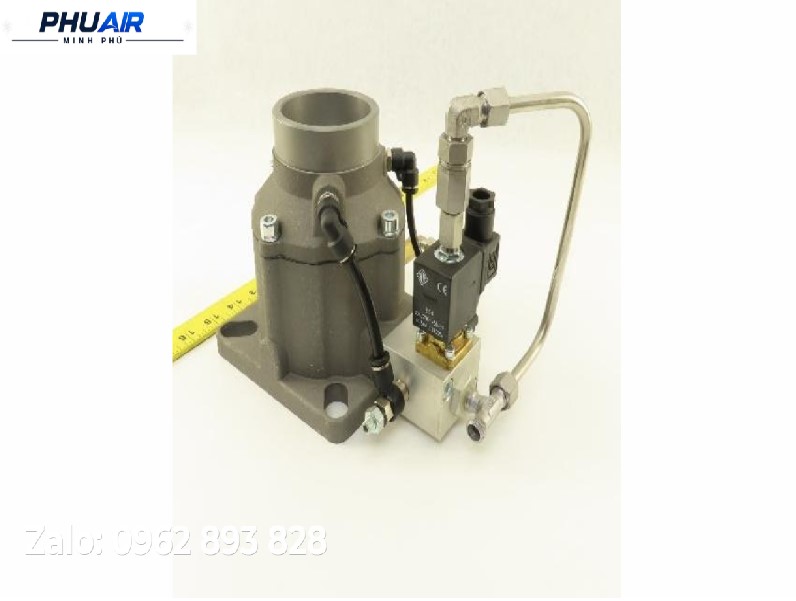
The intake valve is one of the key components to prioritize when investigating a suspected air intake problem. Possible issues include the valve failing to open fully when the compressor switches to the loaded state, a stuck valve piston, a torn valve diaphragm, a broken valve spring, or an inappropriate control signal to the valve. Do not assume that all screw air compressors use the same intake valve design or control method.
Inspection approach: Do not remove the valve immediately. Instead, follow this sequence: machine status → LOAD command → control signal → control mechanism → intake valve → actual machine response.
Cause 4: Problems with the Solenoid or Intake Valve Control System
If the intake valve is controlled by an electrical or pneumatic signal, both the control system and the valve itself must be checked rather than simply replacing the valve. Verify whether the load solenoid receives the electrical signal and opens and closes normally, whether the pneumatic control lines are kinked, leaking, or blocked, and whether the related connections are in good condition.
An important diagnostic principle: a valve that does not appear to operate is not necessarily faulty. First determine whether the valve is not receiving a command, is receiving a command but failing to operate, or is operating but the compressor still fails to reach the intended state.
Cause 5: Pressure Sensors or Signals Do Not Accurately Reflect Actual Conditions
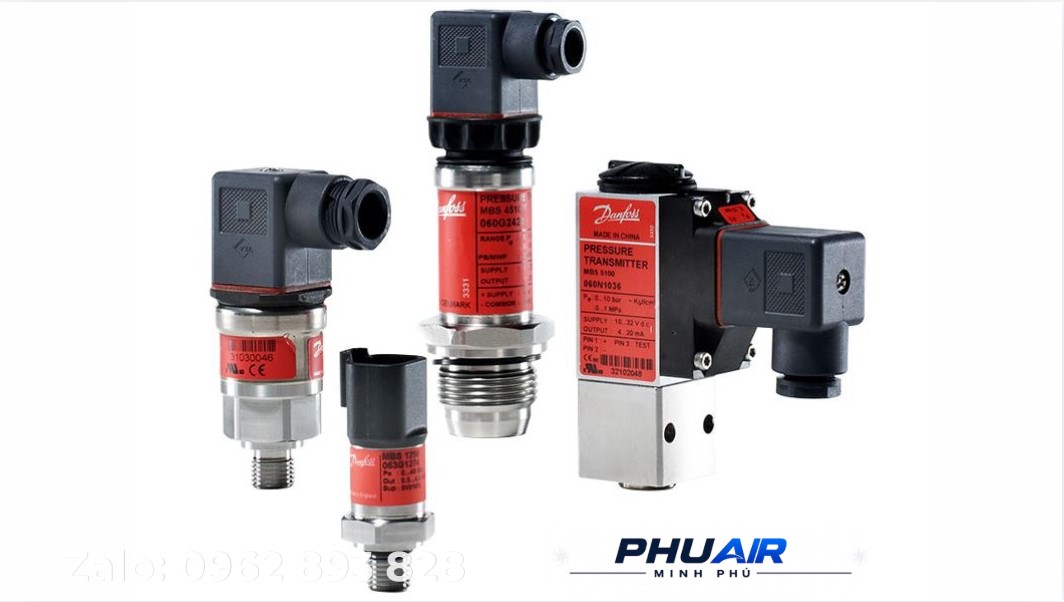
The compressor uses pressure data to determine its operating state. Therefore, inaccurate pressure signals can affect LOAD/UNLOAD logic. Record the pressure displayed on the controller, the actual measured pressure (if a suitable measuring device is available), the pressure setpoint, and when the issue occurs. Do not conclude that the sensor is faulty based on a single value displayed on the screen.
Cause 6: Reduced Air-Generating Capacity
The compressor may still be drawing in air, but its air-generating capacity is no longer normal, leading operators to perceive that the machine is “unable to draw in air.” To distinguish this condition, supporting data is needed, including how quickly or slowly pressure rises, whether the compressor reaches the required pressure, the airflow rate (if measurable), the maintenance condition, and the components involved in the compression process.
Cause 7: Air Demand or System Conditions Causing a Misinterpretation
Low pressure does not always mean that the compressor is unable to draw in air. The system may have high air demand, air leaks, pressure losses in the piping, or changing operating conditions, forcing the compressor to run continuously to meet demand. It is important to distinguish between the compressor failing to generate sufficient air and the system requiring more air than the compressor can currently supply.
3. Recommended Inspection Procedure
Prioritize safety: Ensure that the power supply has been disconnected and all residual pressure has been released before inspecting internal mechanical components.
Confirm the symptoms: Record the machine model, power rating, current pressure and pressure setpoint, LOAD/UNLOAD status, when the issue started, how frequently it occurs, and whether any alarms or fault codes are displayed.
Confirm air demand: Check whether the system is consuming more air than usual when the issue occurs. If so, do not rush to conclude that the compressor is faulty.
Inspect the air intake path: Air filter → intake path → related components.
Check the LOAD/UNLOAD status: If the compressor does not enter LOAD mode when air generation is required, focus the investigation on the control system.
Inspect the intake valve and control system: Control command → solenoid/signal → control mechanism → intake valve.
Cross-check pressure data: Displayed pressure – actual measured pressure – pressure setpoint.
Reach a conclusion only after sufficient data has been collected: If the preceding steps do not identify the cause, proceed to an in-depth inspection of the relevant components with a qualified technician.
4. What Not to Do When the Compressor “Cannot Draw in Air”
Do not replace the intake valve immediately — suspicion of a faulty valve alone is insufficient grounds for replacing the component.
Do not adjust the pressure settings arbitrarily to “force the compressor to draw in air” without first confirming the equipment's operating limits.
Do not overlook the LOAD/UNLOAD status — this is one of the first pieces of information that must be verified.
Do not disassemble components while the machine is still pressurized — isolate energy sources and release pressure in accordance with the equipment's safety procedures before carrying out any work.
Do not draw conclusions from a single symptom — technical assessments and corrective actions must be based on verified data, without speculating about causes or specifications.
5. When Should You Call a Technician for an Inspection?
An in-depth technical inspection is recommended when the compressor runs but fails to build pressure as usual, pressure rises very slowly, the machine does not switch between LOAD/UNLOAD states correctly, the intake valve or control system is suspected, an alarm or fault code appears, the cause remains unidentified after external factors have been checked, or the issue recurs and affects production.
When contacting a technician, prepare the following information: a photo of the machine nameplate/model, any alarm code, current pressure and pressure setpoint, LOAD/UNLOAD status, maintenance history, and photos or videos showing the condition of the intake valve area and air filter.
6. Frequently Asked Questions (FAQ)
1. Is the intake valve responsible when a screw air compressor cannot draw in air?
It is a possibility, but the cause cannot be confirmed based on this symptom alone. The LOAD/UNLOAD status, control signals, and related components must be checked first.
2. Can a dirty air filter reduce the compressor's air intake?
Yes. A clogged filter resulting from a lack of cleaning over time is a common possible cause, but the filter's condition must be assessed alongside operating data and the machine's actual configuration.
3. What should be checked first when the compressor runs but cannot draw in air?
Confirm whether the compressor is in LOAD or UNLOAD mode, then check the pressure, air intake path, and control system.
4. Can the solenoid be related to this issue?
Yes, depending on the design and control system of the specific model. This must be verified against the machine's documentation.
5. Does low pressure mean that the compressor cannot draw in air?
Not necessarily. Low pressure may also result from increased air demand, air leaks, pressure losses in the piping, or reduced air-generating capacity of the system.
6. Should the intake valve be replaced immediately when the compressor cannot draw in air?
No. The cause must be identified using supporting data before any parts are replaced.
7. Can the pressure settings be adjusted to improve the compressor's air intake?
You should not change the settings arbitrarily without first confirming the operating limits of the compressor and the system.
8. Is it advisable to remove and inspect the intake valve without technical expertise?
Removing high-pressure mechanical components without the appropriate technical documentation and specialized tools is not recommended. Contact a reputable technical service provider for safe assistance.
9. What information should be provided for remote technical support?
A photo of the machine nameplate/model, current pressure, pressure setpoint, LOAD/UNLOAD status, any alarm code, and a video showing the compressor operating.
7. Conclusion
A screw air compressor that cannot draw in air should not immediately be diagnosed as having a faulty intake valve or clogged air filter. The appropriate approach is to verify the following in sequence: whether the compressor is in LOAD or UNLOAD mode → actual pressure → air intake path → control system (solenoid and signals) → intake valve → related components. Each model has a different design and control logic. Therefore, specifications, inspection criteria, and repair conclusions must be checked against the equipment documentation or confirmed by the responsible technician before the cause is finalized.
Is your screw air compressor running but unable to draw in air, or is its pressure rising abnormally?
Send PhuAir the following information to receive assistance in identifying the appropriate inspection steps:
📷 A photo of the machine nameplate/model
📊 Current pressure and pressure setpoint
⚙️ LOAD/UNLOAD status
⚠️ Any alarm code
🎥 A video showing the compressor operating
PhuAir will use the actual operating data to determine which checks should be performed first, rather than replacing parts based on guesswork.